
Follow these quick steps to complete verification and claim your rewards:
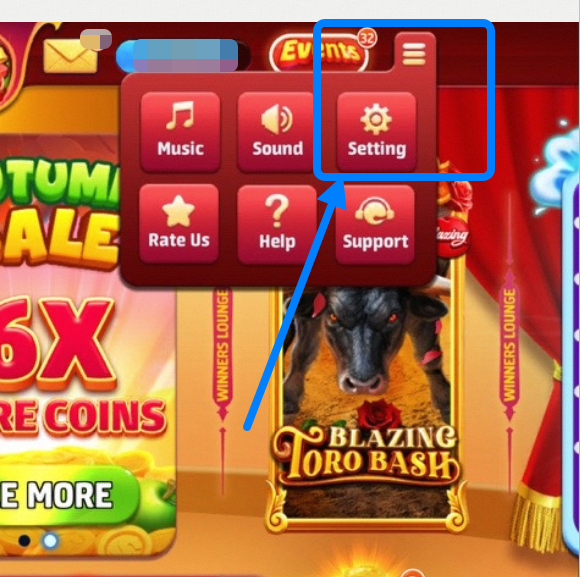
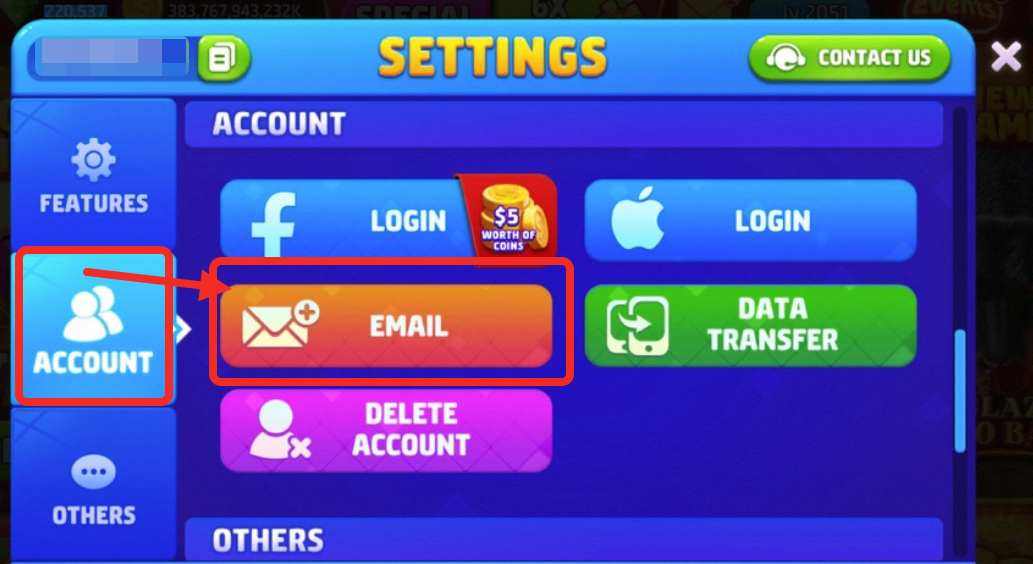
- Step 1: Tap the Settings icon in the top right corner of the Game Lobby, then go to the ACCOUNT tab and select EMAIL.
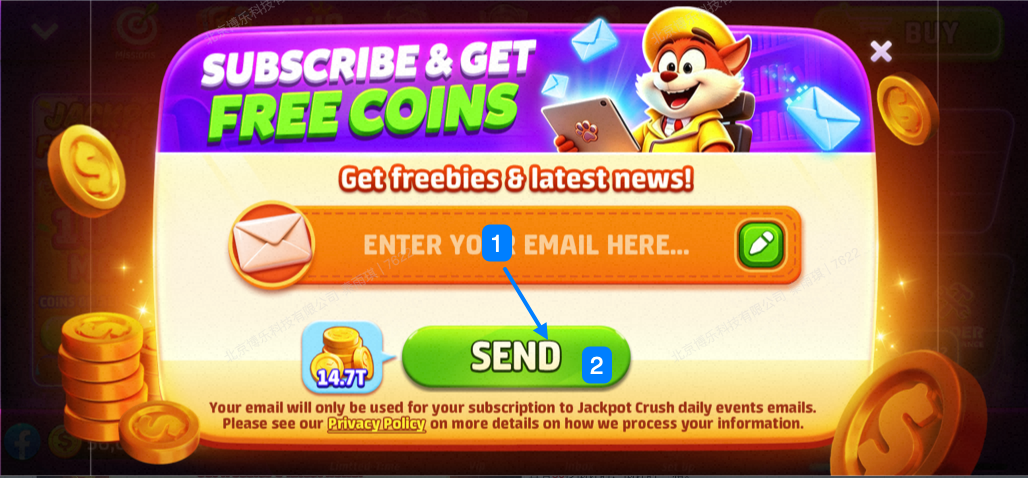
- Step 2: Tap the email input field, enter your email address, and tap the "SEND" button below (a countdown timer will start).
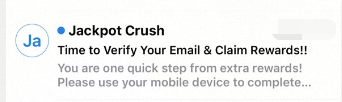
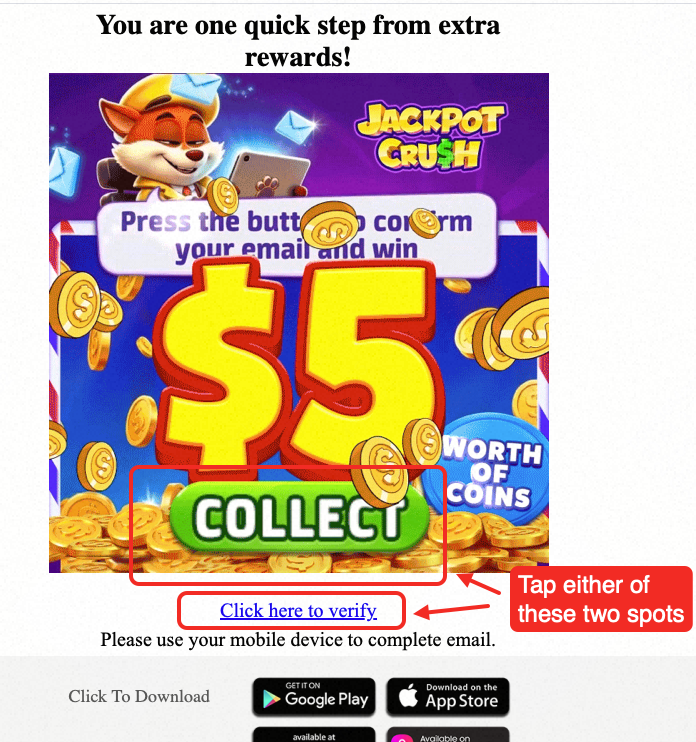
- Step 3: Open your inbox and look for an email titled "Time to Verify Your Email & Claim Rewards!!".
- Step 4: Open the email and tap the image or the "Click here to verify" button to jump back into the game.
- Step 5: Once you see the "Email Linked!" pop-up screen in-game, you're all set!
⚠️ Important Notes & Troubleshooting
Q1: What if I didn't receive the verification email?
- Check your Spam/Promotions folder: Verification emails sometimes get filtered by mistake. If found, please mark it as "Not Spam" to ensure you receive future rewards smoothly!
- Wait a moment: Network delays may occur. If the countdown ends, you can tap "RESEND" to request a new one (up to 3 requests per day).
- Same Device Required: Please make sure to open and verify the email on the exact same device where the game is installed. Verification will not work across different devices (e.g., clicking the link on a PC while the game is on your phone).